
Online Email App
The Online Email App lets you access your EZBizMail account using any web browser.
It includes built-in tools for email, contacts, calendars, tasks, and sharing between users & devices.
No software installation is required.
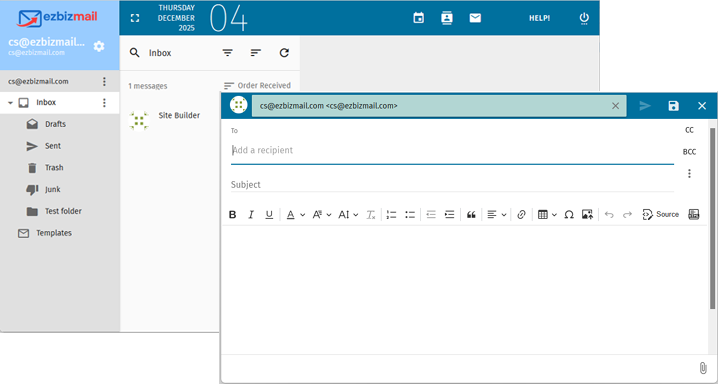
Key Features
- Clean, modern interface
- Folders, flags, filters
- Conversation view
- Server-side rules
Contacts
- Personal address books
- Shared address books
- CardDAV sync supported
- Import / Export vCard
Calendars
- Multiple calendars
- Shared calendars (read or full-access)
- Event invitations (iTIP)
- CalDAV sync supported
Tasks & Notes
- Task lists with due-dates
- Notes with categorization
- Sync with compatible apps
How to Access the Online Email App
- Open your web browser (Chrome, Edge, Safari, Firefox).
- Go to https://webmail.your-domain.com
(Replace your-domain.com with your actual domain name.) - Log in using your full email address and password.
No installation or plugins are required.
Recommended Settings
Appearance & Layout
- Switch between classic or modern theme
- Adjust message list density
- Enable or disable conversation mode
Mobile Use
The interface automatically adjusts for phones and tablets. For full syncing of email, contacts & calendars, use:
- iOS Mail + iOS Contacts + iOS Calendar
- Android Email Apps (K-9/Thunderbird, Samsung Mail, etc.)
- Outlook Mobile (email only)
You may also open the Online Email App in any mobile browser.
Syncing Contacts & Calendars
This Online Email App supports open standards:
- CalDAV – for calendars
- CardDAV – for contacts
- ActiveSync – where supported by the device (email, calendar, contacts)
You can share calendars and address books with any user on your domain and sync them to any supported app (iOS, Android, Thunderbird, Outlook*, Online Email App).
*Outlook desktop supports shared calendars via add-ins. A link to recommended add-ins is included on our Sharing FAQ page.
Sharing Examples
- Share a calendar in the Online Email App → sync it to iPhone Calendar
- Share an address book → sync to Thunderbird or Android
- Use the same shared resources across Online Email App + mobile + desktop
For a full compatibility and sharing matrix, visit the Address Book & Calendar Sharing Page.
Troubleshooting Tips
- Can't log in? Confirm your password in the Control Panel’s "Manage Plan" page.
- Email not syncing? Verify IMAP or ActiveSync settings in your device.
- Missing calendar? Make sure it is shared with the correct permissions.
- Slow loading? Try clearing your browser cache or using a private window.